Select the link Cycle Charge Rate to show the following window
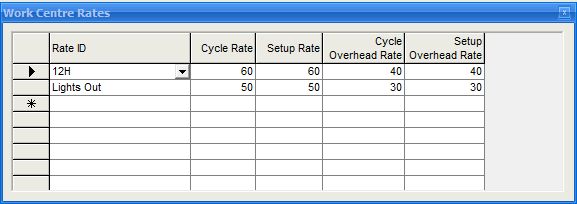
Using the drop down button in the Rate ID column, select one of the items from the list (see Rate ID to setup) Enter the Cycle, Setup, Cycle Overhead and Setup Overhead rates for each row selected.
When using the Estimating tab in Quotes or the Drawing Register modules you are able to apply one of the rate id's above against a quantity. The quantity will check each work centre used in the estimate to see if a special rate applies. e.g. lets say you are estimating a price for two different quantities, a 10 off and a 1000 off. The 1000 off could be run overnight so you could apply the 'Lights Out' rates to this which would be less than if it was run in the day.
The standard rates will be used for any work centre without the specified Rate ID used in an estimate so we do not have to have special rates for all work centres e.g. Inspection or Bench work