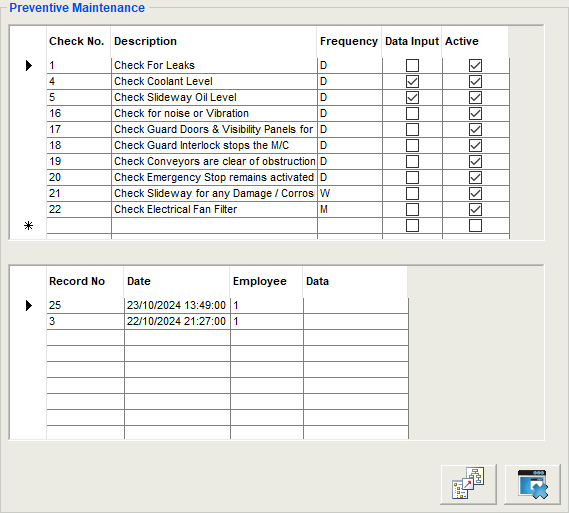
This feature allows daily, weekly, monthly and yearly maintenance checks to be actioned by the employee before using a work centre. Each work centre can have its own specific checks. There is a copy button to allow you to copy a series of checks from one work centre to another.
The 'Description' column indicates to the employee what check is to be performed.
The 'Frequency' can be either D (daily), W (weekly), M (monthly) or Y (yearly).
If the 'Data Input' column is checked then the employee will have to enter a value e.g. oil level
The 'Active' check indicates the item is live and will be included in the current maintenance procedures
The lower grid will display the last checks performed for the check no. indicated in the top grid showing employee, date/time and any data input